Shift happens
where you choose.
Move or delete individual keys and whole rows. Shift still shifts. Enter still enters. The arrows still move your cursor.

 PAR1AHWARE / KEYS CUSTOM
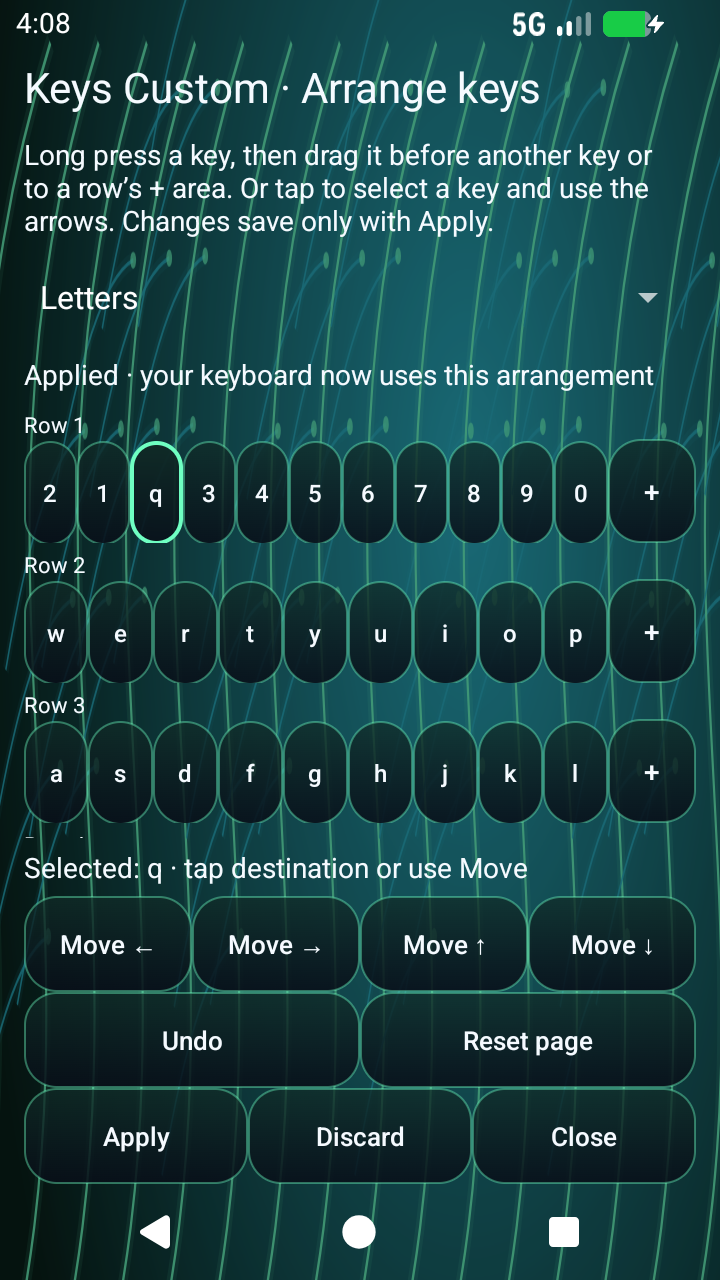
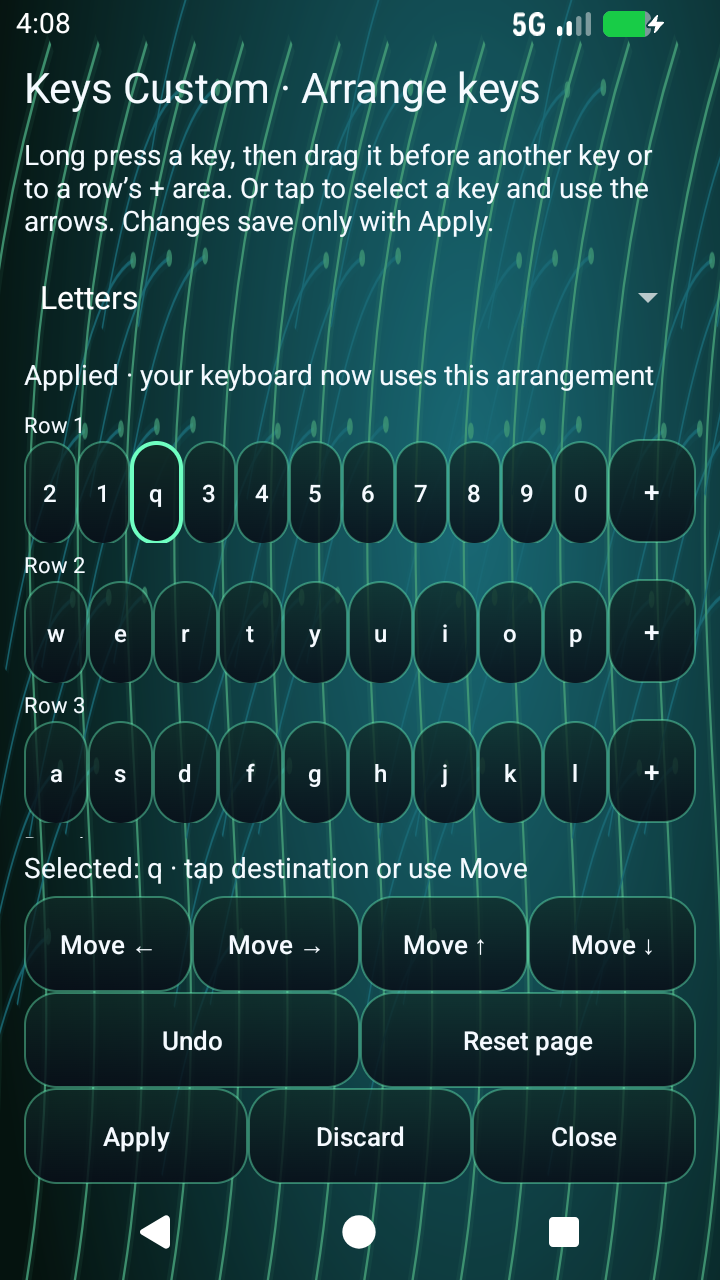
Move your keyboard into an order that makes sense to you. Letters, Shift, Enter, Space and all four arrows—drag them between rows and make the layout yours.

Move or delete individual keys and whole rows. Shift still shifts. Enter still enters. The arrows still move your cursor.
Preview, then Apply. Undo/Redo, Add / restore key, named layouts and Restore preset keep changes recoverable. Each keyboard page has its own layout.
Keys Custom installs alongside Keys with its own keyboard entry and private settings. Pick the keyboard you want in Android.
Prefer tapping? Select a key and use the Move arrows. Letters, two symbol pages, Numbers and Phone each have a separate arrangement.
0.4.0-alpha2 · build 8 · Testing candidate · Independent app with its own icon
The app-signed installer, with the distinct Keys Custom icon. Android 10 or newer.
0.4.0-alpha2 · build 8 · Testing candidate · 68.6 MiB
Download Keys Custom APKbacea19bde90ef4b35784abadca7feb2f1c87930b7ae19028b56d0da0d2402a1App Bundle for distribution workflows; it does not install directly on your device.
0.4.0-alpha2 · build 8 · Testing candidate · 29.9 MiB
Download AAB901be7011fe3c229834b5b8722d887f60cf81b1c34efdc2edd04340d96c3fdddFiles are hosted in the official PAR1AHWARE GitHub repository. Checksums · Release details · Keys Custom Privacy Policy
Download the APK, install it, and tap Open. Choose Set Keys Custom as default keyboard and follow Android’s enable-and-select screens. You can keep Keys installed and switch back at any time. Settings from Keys do not transfer automatically.
0.4.0-alpha2 · build 8 is a testing candidate. It includes key and row deletion, Undo/Redo, named and recovery layouts, searchable settings, and Studio categories stacked in groups of three.
The best swipe match now appears immediately in your actual text field. Tap another suggestion to replace it, delete to retry, or keep typing. Up to three distinct ranked choices remain available while the word is provisional. Pausing keeps it visible and correctable. Space, punctuation and deliberate editor actions retain the word. The short theme-colored swipe trail is thicker and darker, with an independent visibility switch.
The exact signed release passed 42 targeted checks on Samsung SM-S948U / Android 17, including actual external native and WebView editors. The 91,676-word offline English vocabulary and recognition engine are preserved. The unchanged decoder’s earlier held-out public-human top-three result was 78.00%, versus 44.07% for the older baseline; this is not fresh build-8 human device accuracy.
A narrow-layout hello/help ranking fixture remains open. Full messaging/browser, physical tablet, fresh human device, full orientation/editor compatibility, end-to-end latency and peak memory acceptance remain pending. Keys Default and four reference-inspired English setups drive the actual layout; exact competitor configurations remain provisional. Screenshots below show older editor versions.
Local vocabulary learning is optional and off by default. Provisional or rejected defaults are not learned; only the final accepted word may enter the existing opt-in flow. Swipe recognition and suggestions run offline. Voice and translation depend on available services/models; existing translation networking is described in the privacy policy. Install this APK as an update to preserve your Keys Custom data.
Five built-in Latin letter-position presets are included. View the layout previews. Swipe vocabulary remains English.